Two philosophies of comfort
Nest and Honeywell both make excellent smart thermostats, but they were designed by companies with opposite instincts. Google’s Nest wants the thermostat to disappear: it learns your routine, adjusts itself, and asks for as little input as possible. Honeywell, which has been building thermostats for over a century, trusts you to set a schedule and expects the device to follow it faithfully. Neither philosophy is wrong. They just suit different people.
This comparison focuses on the two flagships most buyers cross-shop: the Nest Learning Thermostat and the Honeywell Home T9. Understanding what each company believes a thermostat should do makes the choice much easier than comparing feature lists.
Learning vs scheduling: how each one runs your home
The Nest Learning Thermostat builds its own program. For the first week or two you adjust the temperature as usual, and it watches: when you wake, when you leave, when the house goes quiet at night. Then it starts doing it for you. Change your habits and it adapts. For households with steady routines, the result feels close to automatic.
The Honeywell Home T9 takes the opposite bet. You set the schedule, it runs the schedule. It also offers geofencing through the Resideo app, so it can ease off when everyone leaves and recover before you return, but the core logic is yours. If your weeks are irregular, if you work shifts, or if you simply do not trust an algorithm with your comfort, the T9’s predictability is reassuring.
Ask yourself which sounds better: a thermostat that figures it out, or one that does exactly what you told it. Your honest answer points at the right brand.
Design and the wall test
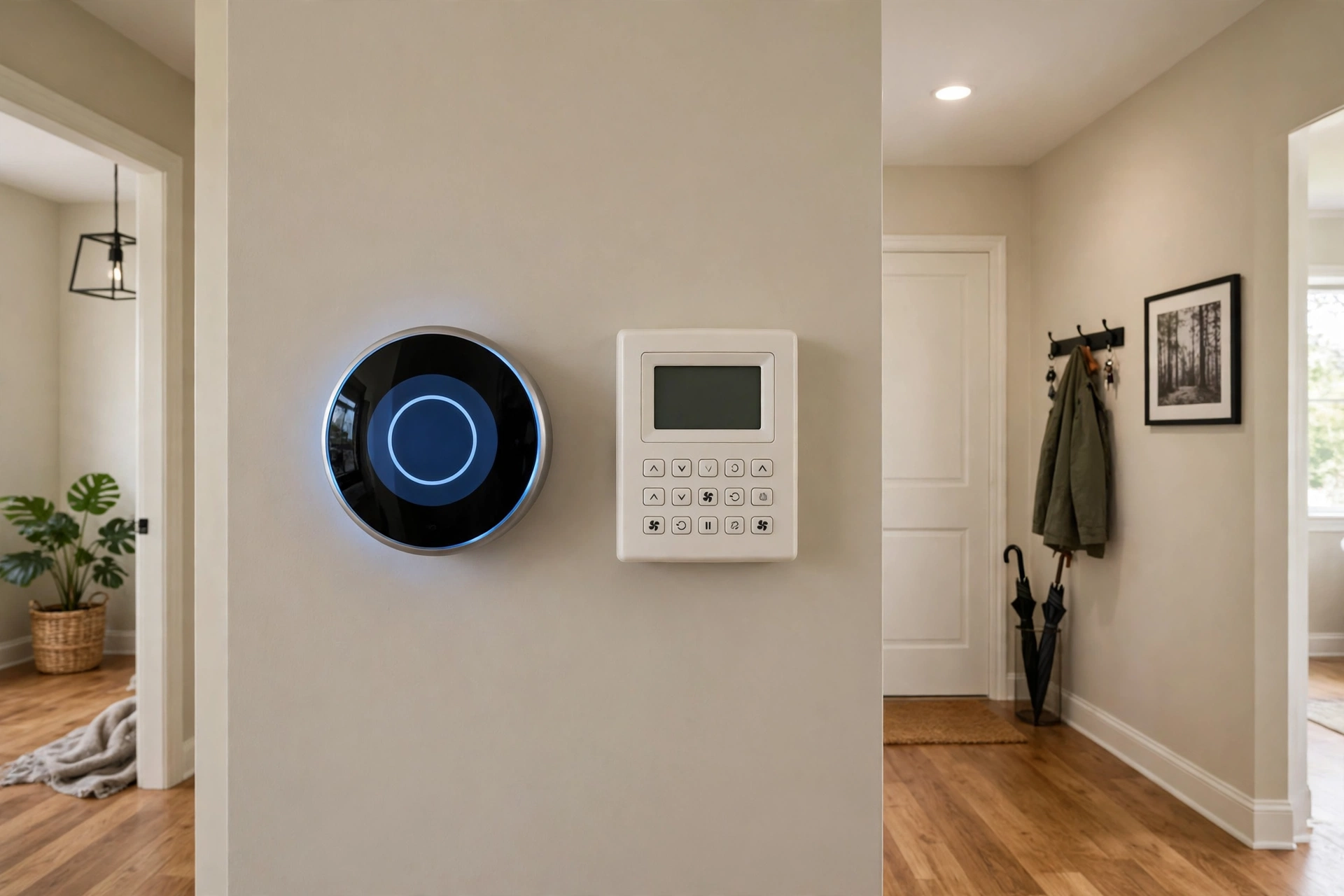
Nest is the design object. The Learning Thermostat’s stainless steel ring and round display look intentional on any wall, and the twist-to-adjust interaction is satisfying in a way a touchscreen never quite matches. Guests notice it.
The T9 is a white rectangle with a touchscreen. It is inoffensive, legible, and utterly forgettable, which is arguably what a thermostat should be. Honeywell spent its design budget on the interface logic, not the hardware. If you want the thermostat to blend in, the T9 does that better.
Apps: Google Home vs Resideo
The Google Home app is the cleaner of the two. Schedules, energy history, and Home/Away settings sit a tap or two away, and if you already manage other Google devices there, the thermostat slots right in. The app’s simplicity is real, though power users sometimes miss the granular controls of the old standalone Nest app.
Honeywell’s Resideo app (formerly Honeywell Home) is more utilitarian. Everything you need is there: scheduling, sensor priority, energy reports, filter reminders, geofencing. It is less polished than Google Home and occasionally clunkier to navigate, but it exposes more of the system’s inner workings. Tinkerers tend to prefer it; minimalists do not. Both apps handle the basics well enough that you will rarely open them after the first month of ownership.
Room sensors on both sides
Both brands offer remote sensors, and both solve the hallway problem: the thermostat measures where it hangs, not where you live.
Nest’s Temperature Sensor pairs with the Learning Thermostat (3rd gen) and the Nest Thermostat E. It reports temperature from another room, and you schedule which sensor leads at different times of day. It does not measure occupancy, and it does not work with the budget Nest Thermostat (2020 model), so check compatibility if sensors are part of your plan.
Honeywell’s Smart Room Sensors report temperature, humidity, and occupancy, and the T9 can prioritize rooms by schedule or follow motion around the house. The sensors are sold separately on both platforms, so price your whole setup, not just the thermostat.
On paper, Honeywell’s sensors do more. In practice, both fix the same core problem: the cold bedroom, the hot office, the upstairs that never matches the downstairs.
Wiring and compatibility
This is where you should spend five minutes before spending any money. Pop the old thermostat off its base (breaker off first) and read the wire labels.
Nest is the more forgiving of the two. The Learning Thermostat is designed to work with or without a C-wire in most homes, using power-sharing to draw what it needs from the heating and cooling wires. Only a small fraction of installs need a C-wire or the separate Nest Power Connector.
The T9 requires a C-wire, full stop. The good news is that it ships with a power adapter that works as a low-voltage alternative when no C-wire exists, and the guided install walks you through it. It is one extra step, not a dealbreaker, but it is a step Nest usually skips.
System coverage is broad on both. Nest handles most 24V systems including heat pumps with auxiliary heat. The T9 covers forced air, hot water, steam, and heat pumps with electric backup, but not electric baseboard heat. Both brands run online compatibility checkers: enter your wires, get a verdict. Use them.
Voice assistants and ecosystems
Both work with Amazon Alexa and Google Assistant. The T9 adds native Apple HomeKit support, which gives Honeywell the broader spread. Nest’s HomeKit story depends on the model: older units have none, while the newest support Matter and can join Apple Home that way. If Siri runs your house, Honeywell is the simpler path.
The budget alternatives worth knowing
If the flagships feel like overkill, both brands sell cheaper models that cover the essentials.
The plain Nest Thermostat (2020) drops the learning schedule and the metal build, but keeps app control, scheduling, energy history, and HVAC monitoring. It cannot use the Nest Temperature Sensor, so it suits homes where the thermostat already sits in a sensible spot. For a first smart thermostat, it is most of the experience for meaningfully less money.
Honeywell’s budget line is the T5 and T6 series. They keep the straightforward scheduling Honeywell is known for, work with the Resideo app, and cover the common system types. What you lose against the T9 is mainly the room sensor support and some of the polish. For a rental property or a second home where you want remote control without the full sensor setup, they are sensible picks.
The tradeoff with any budget model is the same: you save money up front and give up the features that fix uneven temperatures. If your house has a problem room, the sensor-capable flagship usually earns its premium. If it does not, the budget model is the smarter buy.
Who should buy which
Buy the Nest Learning Thermostat if your routine is steady, you want the schedule to build itself, and you like the idea of a thermostat you rarely think about. It suits Google Home households especially well, and its design earns its place on the wall.
Buy the Honeywell Home T9 if you prefer to set the schedule yourself, want room sensors with occupancy detection, or need native HomeKit support without caveats. It suits people who value predictability over automation, and it handles a wide range of systems including hot water and steam.
The honest summary: Nest bets that software can run your comfort better than you can. Honeywell bets that you know your house best. Pick the bet you agree with.