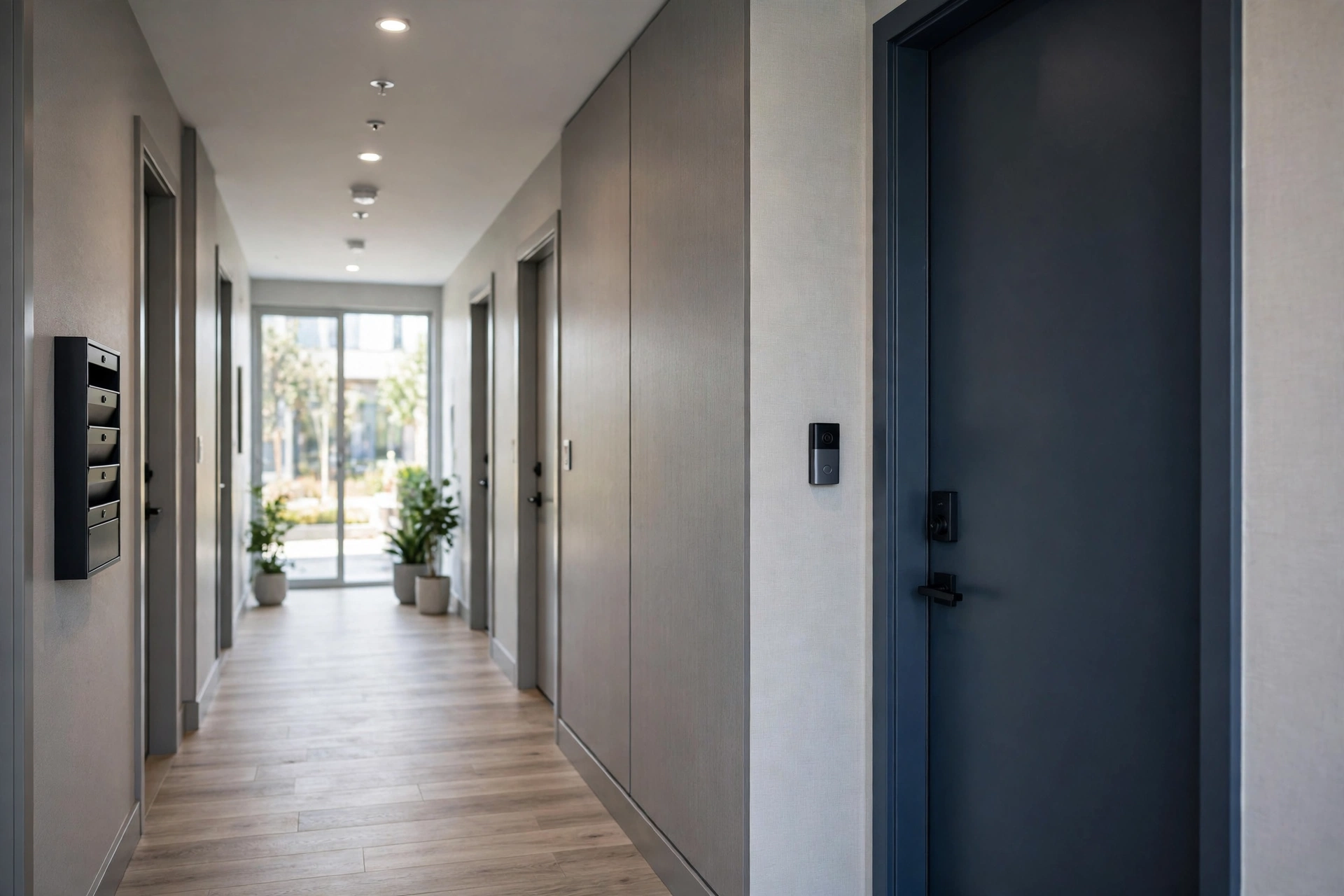
Renters get package theft, porch pirates, and sketchy hallways just like homeowners do, but most video doorbells assume you own the door frame. The good news: battery-powered doorbells with drill-free mounts have made renter-friendly video doorbells genuinely practical. The best video doorbell for renters installs without a single hole, comes with you when you move, and does not start a fight with your landlord. Here is how to pick one and mount it without losing your deposit.
Last updated: October 22, 2026.
Why battery is the renter’s only real option
Wired doorbells need existing doorbell wiring, a compatible chime, and comfort working inside someone else’s electrical system. Most rentals fail at least one of those tests. Battery doorbells need none of it: charge the pack, stick or screw the mount, and you are done in 15 minutes. When the lease ends, the doorbell comes off the wall and the next tenant never knows it was there. Battery is not a compromise for renters; it is the correct answer.
Mounting without drilling
You have three drill-free options, in order of security:
1. No-drill mounts that clamp to the door frame. These bracket onto the door trim or siding with pressure and adhesive, no holes required. Ring sells an official no-drill mount, and bundles pairing it with the battery Video Doorbell list around $112.99 at retailers (homeguide.com, 2026 listings). Third-party versions fit most major brands. They hold firmly enough to resist a casual grab but remove cleanly.
2. Heavy-duty adhesive mounts. Industrial outdoor adhesive strips (the kind rated for exterior use) can hold a lightweight battery doorbell on smooth surfaces like metal door frames, glass sidelights, or painted trim. Clean the surface with rubbing alcohol first, and give the adhesive 24 hours to cure before hanging the doorbell. Avoid textured stucco or brick; adhesive does not bond well to rough masonry.
3. Freestanding and peephole-adjacent options. Some renters mount a battery doorbell to a heavy planter, a railing, or a door-adjacent post with zip ties or a clamp mount. It is inelegant but effective, and it works where the door frame itself is off-limits.
One thing to skip: doorbell wedges that require screws into the frame are not renter-friendly no matter what the listing says. If the mount needs a drill, it needs landlord permission.
The best renter picks
Ring Video Doorbell (battery, 4th gen), ~$100. The official no-drill mount exists for exactly this model, which makes it the path of least resistance. Battery life runs a few months per charge in normal use, and the Ring app’s motion zones let you exclude the busy hallway or street so your phone is not buzzing all day. Downside: no recording without Ring Home ($4.99/mo per device).
Blink Video Doorbell, ~$60. Amazon’s budget brand is the cheapest credible doorbell, battery-powered, and it can store clips locally to a Sync Module 2 (sold separately) with no subscription. Video is 1080p and the app is basic, but for a rental where you might leave the doorbell behind or risk it being stolen, the low buy-in is a feature.
Eufy Video Doorbell E340, $179.99. The no-subscription pick. Local storage means no monthly fee follows you from apartment to apartment, and the dual cameras cover visitors and packages. Heavier than the Blink, so use a clamp mount rather than adhesive strips.
Arlo Essential Video Doorbell 2K, ~$80. Battery or wired, and Arlo’s free tier (live view, alerts, limited event history) is the most generous among the cloud brands. Worth considering if the building already has Arlo cameras in common areas.
What about peephole cameras?
Peephole cameras replace your door’s existing peephole with a camera unit, which sounds ideal for apartments. In practice the category has thinned out: Ring discontinued its Peephole Cam years ago, and current options are mostly no-name brands with questionable apps and security. A battery doorbell on a no-drill mount does the same job with better software and a brand that will still exist when you need support. Skip the peephole camera aisle.
Talking to your landlord
Most leases say nothing about doorbells specifically, but “no alterations” clauses and rules about exterior fixtures can apply. A battery doorbell on a no-drill mount is not an alteration in any meaningful sense, and framing it that way keeps the conversation short. A message that works:
“Hi, I’d like to add a battery-powered video doorbell to my unit. It mounts with a no-drill bracket (no holes, no wiring changes) and I’ll remove it when I move out. Happy to show you the mount beforehand.”
Lead with “no holes, no wiring, I remove it” and most landlords say yes or do not care. If the building has a shared entrance or the camera would point at a neighbor’s door, mention that you will angle it at your own doorway and enable privacy zones to black out neighboring doors. Get the yes in writing (an email reply counts) and save it.
Apartment-specific concerns
Wi-Fi reach. Apartment doors often sit far from the router, behind concrete or metal fire doors that murder Wi-Fi signals. Before you buy, stand at your door with your phone and run a speed test; under 2 Mbps upload and your video will stutter. A small mesh node or extender near the entry usually fixes it.
Shared hallways. In buildings with interior hallways, your doorbell watches a shared space. Keep motion zones tight on your own doorway, turn off audio recording if your state requires two-party consent for audio, and check building rules about cameras in common areas. Video of a shared hallway is generally fine; audio recording is where consent laws bite.
Theft. A doorbell in a shared hallway is easier to steal than one on a private porch. Mount it at a height that is awkward to grab quickly, and prefer models with theft replacement policies (Nest includes one; Ring and Arlo offer discounted replacements).
When you move out
Removing a drill-free doorbell takes ten minutes if you do it right. For adhesive mounts, warm the adhesive with a hair dryer for a minute, then slide dental floss behind the mount in a sawing motion; the adhesive releases without pulling paint. Wipe residue with rubbing alcohol. For clamp-style no-drill mounts, loosen and lift off, then wipe the frame.
Patch anything you did drill (with permission): a dab of spackle, a quick sand when dry, and a touch of matching paint makes small screw holes vanish. Take photos of the door frame after removal in case of deposit disputes.
Before you hand back the keys, factory-reset the doorbell in the app and remove it from your account so the next tenant cannot see your footage or your Wi-Fi details. At the new place, the doorbell sets up like new: charge it, mount it, connect to the new Wi-Fi. Battery doorbells are the rare smart home device that genuinely moves with you, which is one more reason they are the renter’s pick.
Keep the original box and mounting hardware in a drawer; mounts and wedges are model-specific and replacing them later costs more than you expect.