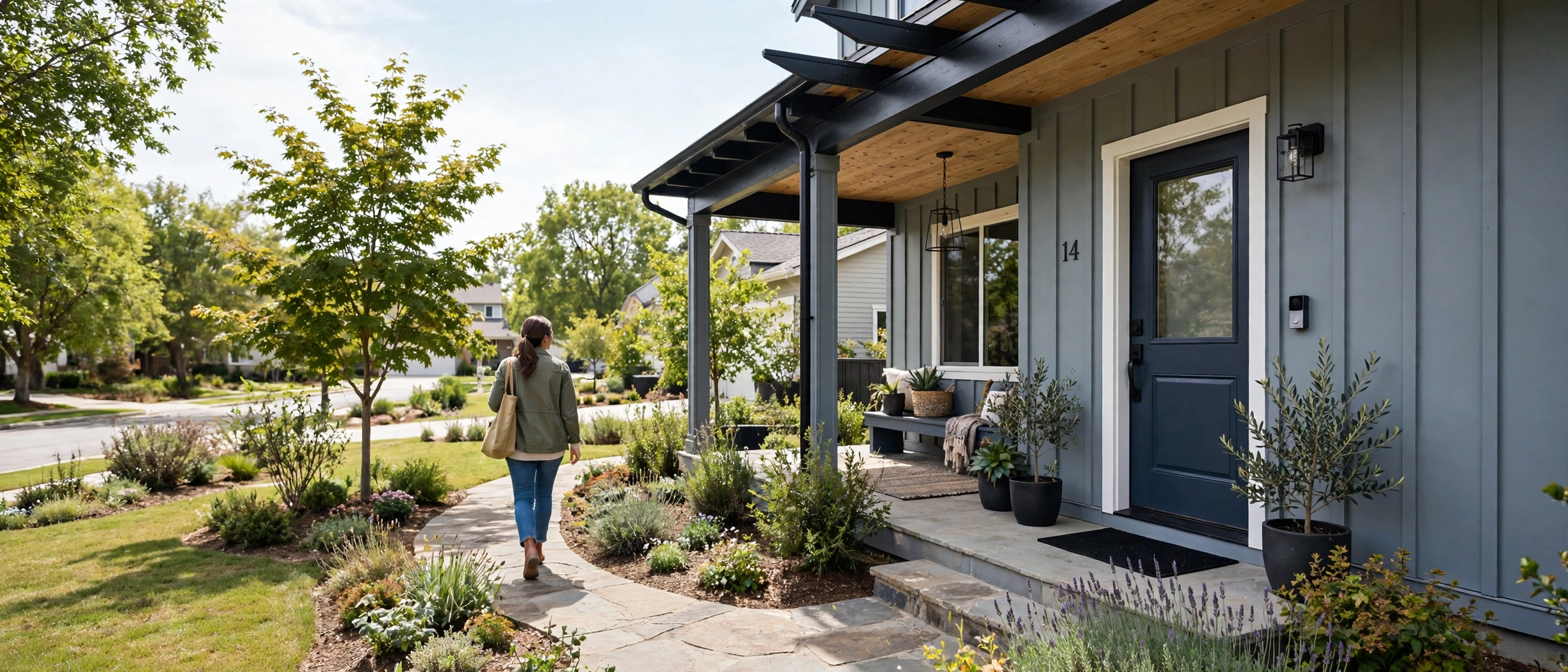
A great video doorbell mounted badly takes terrible video. Too high and you film the tops of heads; too close to a wall and half the frame is brick; facing the afternoon sun and every visitor is a silhouette. This video doorbell placement guide covers the height, angle, and positioning rules that decide whether your footage actually identifies visitors and packages, with setups for porches, hallways, and apartments.
Last updated: October 22, 2026.
Start with the 48-inch rule
Mount the doorbell about 48 inches (1.2 meters) from the ground to the camera lens. Ring publishes this as its official guidance, and the reason is geometry: at 48 inches, an average adult’s face lands in the center of the frame at typical porch distances, and the downward angle still catches packages on the doorstep. Mount at 60 inches and you get foreheads; at 36 inches you get a great view of the doormat and nothing else. Measure from the ground (or porch floor) to where the lens will sit, not to the top of the bracket.
Angle: the wedge mount trick
Doorbells sit flat against the wall beside the door, which means the camera looks straight out while visitors stand off to the side. A wedge mount (a small angled bracket, $10 to $15, or included as a corner kit with some Ring models) tilts the camera 15 to 45 degrees toward the door. Use one whenever:
- The doorbell mounts on a wall perpendicular to the door (common on narrow porches)
- The walkway approaches from one side rather than head-on
- You want packages in frame: angling down-and-toward the door brings the doorstep into view
Stack two wedges for deep-set doors or L-shaped entries. The goal is simple: the camera should face where people actually stand, not where the wall faces.
Avoiding glare and blind spots
Sun. A doorbell facing east or west gets blasted at sunrise or sunset, and backlit visitors become silhouettes. If you cannot change the orientation, enable HDR in the camera settings (most current models have it) and consider a small rain hood, which doubles as a sun shade. Test the view at the worst hour, not at noon.
Blind spots. The classic blind spot is the area directly below the doorbell: with a narrow field of view mounted flat, a package tucked against the door can vanish. Portrait-ratio cameras (Nest’s 3:4) and head-to-toe designs (Ring Pro 2, Arlo 2K) are built for this; with a standard 16:9 doorbell, a downward wedge angle compensates.
Reflective surfaces. Do not aim the camera at a glass storm door or a glossy painted surface at night; the infrared night vision reflects straight back and whites out the frame. Angle slightly away from reflective planes.
Placement scenarios
| Scenario | Placement | Watch out for |
|---|---|---|
| Standard front porch | 48 in high, on the door frame or adjacent wall | Centering on the door rather than the walkway |
| Deep or recessed entry | 48 in high + 15° wedge angled out | Walls on both sides narrowing the view; widen motion zones |
| Door on a side wall of the porch | Corner/wedge kit turning the camera toward the door | Without a wedge, you film the empty porch |
| Apartment hallway | 48 in high on the door frame; no-drill mount | Neighbor doors in frame; enable privacy zones |
| Long walkway or gate | Doorbell at the door + consider a second camera at the gate | One doorbell cannot cover 50 ft of walkway well |
| Double doors / wide entry | Centered between doors or on the active door’s frame | Centering between doors can split faces to the edges; test first |
Getting packages in frame
Package theft drives a large share of doorbell purchases, so frame for it deliberately. After mounting, have someone place a shoebox-sized package at your door and check the live view: is the box fully visible? On standard-ratio cameras, you may need to angle the doorbell slightly downward (a wedge mount helps) or mount an inch or two lower than 48 inches. Dual-camera doorbells like the Eufy E340 solve this with a dedicated downward package lens. Whatever the hardware, verify with a real box, not a guess.
Privacy zones and neighbors
Every major brand lets you draw privacy zones that black out parts of the frame, and activity zones that limit motion alerts. Use both. Black out neighboring doors and windows in shared hallways or dense terraces; restrict motion alerts to your own walkway so passing cars and pedestrians do not drain your battery and spam your phone. In the UK and parts of the US, recording a neighbor’s property continuously can create legal friction, and audio recording has stricter consent rules than video in several US states. When in doubt, video your own doorway, mute the audio, and keep zones tight.
Test before you drill
The single best placement habit: mount the bracket with painter’s tape or hold the doorbell in place, open the live view on your phone, and walk the approach yourself. Check faces at 6 feet, packages at the door, the view at night with the porch light on and off, and the worst-case sun angle. Ten minutes of testing beats a crooked, poorly aimed permanent mount every time. Only drill once the live view looks right.
Check the view at night
Most placement advice assumes daylight, but doorbells work hardest after dark. Before finalizing the mount, check the live view at night with your porch light both on and off. Infrared night vision handles darkness well, but it has quirks: it reflects off glass storm doors, turns nearby white walls into glare, and renders faces in high-contrast black and white that can be harder to identify than daytime color.
Porch light position matters. A light directly above the doorbell creates harsh downward shadows on faces; a light to the side gives more even illumination. If your porch light is motion-activated, make sure its sensor range covers the walkway approach, not just the door itself, so visitors are lit before they reach the camera. Warm-white bulbs (around 2700K) render skin tones more naturally on color night vision than cool-white.
Watch for infrared bounce: if the night image shows a white haze or a bright blob, something reflective is in frame, often the doorbell’s own wedge mount, a glossy door, or a nearby window. A slight angle adjustment usually clears it. And remember that motion detection range shrinks a little at night on PIR sensors; if late-night alerts seem delayed, widen the motion zone slightly or raise sensitivity one notch for the overnight hours if your app supports schedules.
Do this test on the first night after install, not three months later when you actually need the footage. Walk the approach yourself, pause where a visitor would stand, and screenshot the frame. If you cannot identify your own face clearly, adjust the angle or the lighting before you consider the job done.
Revisit placement after a month
Placement is not a one-time decision. After a month of real use, review your event history: are faces clear, are packages visible, are false alerts rare? Seasonal changes shift the equation; a camera that was perfect in October may face low winter sun or summer foliage blocking the walkway. A five-minute seasonal check, adjusting the wedge angle or trimming a branch, keeps the footage useful all year.