Learning how to choose a smart thermostat starts with an uncomfortable truth: the fanciest model on the shelf is worthless if it cannot talk to your HVAC system. Compatibility decides everything, and it is decided by wires and system types, not by brand prestige. Get the wiring right first, then shop for features. This guide walks through both in that order.
What a C-wire actually does
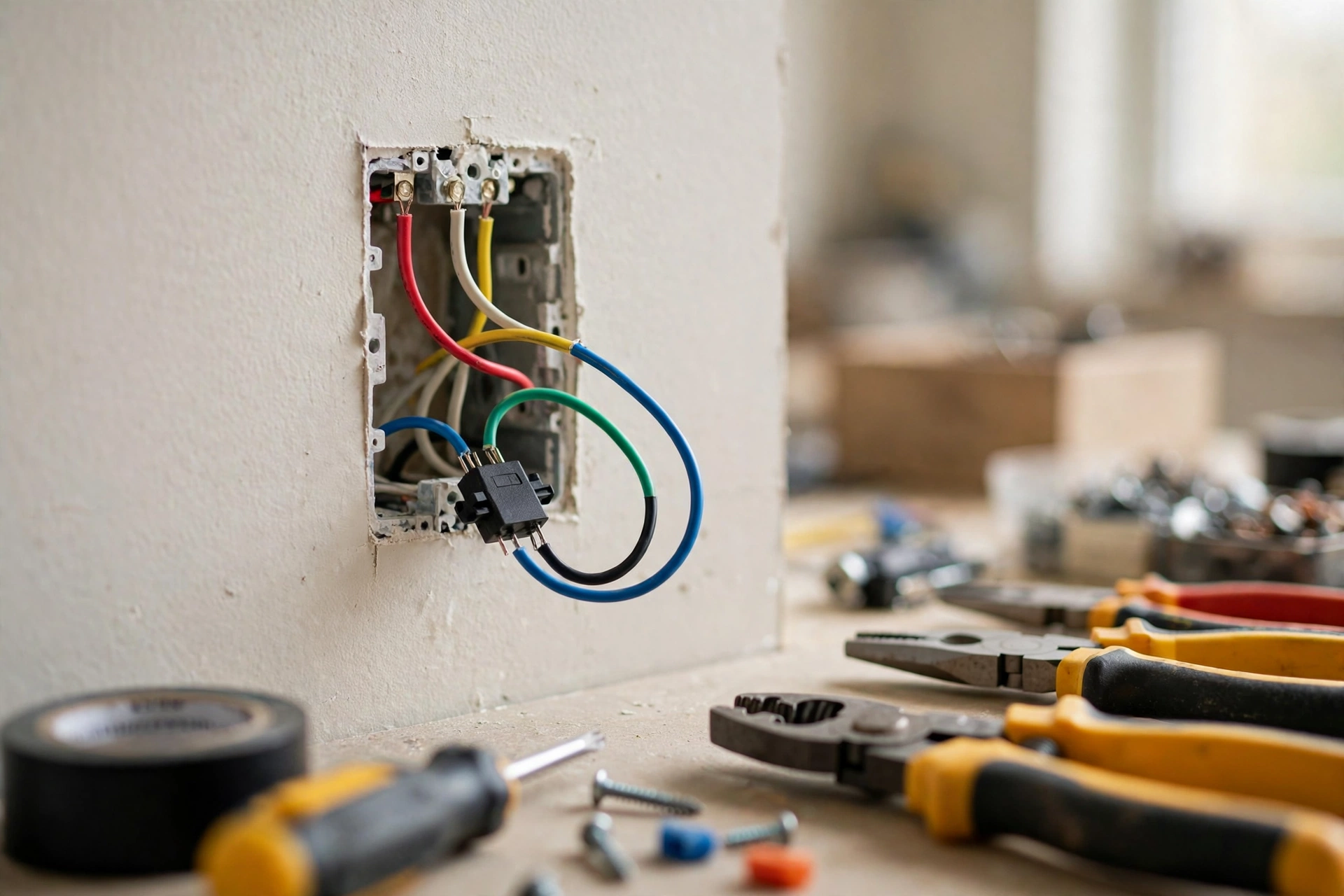
The C-wire, or common wire, gives the thermostat a steady stream of 24-volt power. Old mechanical and basic programmable thermostats did not need it because they had almost nothing to power. A smart thermostat runs Wi-Fi, a color screen, and sensors around the clock, and it needs that constant power to do it reliably.
Without a C-wire, the thermostat has to steal small sips of power through the heating and cooling wires. Some models handle this gracefully. Google’s Nest thermostats, for instance, are designed to work without a C-wire in most homes thanks to an internal rechargeable battery. Others, like ecobee models, require a C-wire and ship with or support a Power Extender Kit that creates one using your existing wires at the furnace. Power-stealing on an incompatible system shows up as Wi-Fi dropouts, a dimming screen, or the furnace short-cycling, which is why this boring wire gets so much attention.
No C-wire and no spare wire: your three options
Finding neither a C-wire nor an unused wire is common in older homes, and it is not a dead end. You have three paths, in order of simplicity. First, choose a thermostat designed to work without a C-wire. Several models use an internal rechargeable battery and power-harvesting to run without constant 24-volt power, and they work fine on many standard systems. Second, install the manufacturer’s C-wire adapter kit at the furnace or air handler. These kits repurpose your existing wires to create a virtual C-wire; they take under an hour if you are comfortable opening the furnace panel with the breaker off, and every major brand publishes a step-by-step guide. Third, have an HVAC technician run a new wire. This is the cleanest long-term fix and the right call if you are also dealing with a complex system, but it is the only option of the three that costs a service visit. Most buyers never need the third option.
Check your wiring in five minutes
You do not need an electrician for this inspection. You need a phone camera.
- Turn off power to your HVAC system at the breaker. Low voltage is not mains current, but dead circuits are how careful people stay careful.
- Pop the faceplate off your current thermostat. Most pull straight off; some have a small screw underneath.
- Photograph the wire terminals from two angles.
- Read the letters on the terminals where wires connect: R, W, Y, G, and C are the common ones. Note which letters have wires.
- Look for an unused wire tucked behind the thermostat, often blue or black. An unused wire can frequently be connected as a C-wire at the furnace end.
- Put the faceplate back and restore power.
Write down the wire letters. Every manufacturer’s online compatibility checker asks for exactly this list, and having it ready turns a confusing purchase into a two-minute form.
Which systems rule out standard smart thermostats?
Most homes with a furnace, heat pump, or central AC and low-voltage wiring are fine. Four system types are not, and recognizing them saves you a return trip to the store.
Line voltage systems
Electric baseboard heaters usually run on 120 or 240 volts, and their thermostats show it: thick wires, wire nuts, and labels like 110V, 120V, or 240V. Standard smart thermostats are 24-volt devices. They are not compatible, full stop. You need a thermostat built for line voltage, which is a different product category.
Millivolt systems
Wall heaters, floor heaters, and gas fireplaces often run on millivolt systems that generate their own tiny current. Google’s own support documentation lists millivolt heaters as incompatible with Nest thermostats because the system cannot deliver the power a smart thermostat needs. Treat any millivolt setup as a “call the manufacturer first” situation.
Proprietary communicating systems
Some high-end HVAC systems use digital communication instead of simple on/off wires. The giveaway is non-standard terminal labels like 1, 2, 3 or A, B, C instead of R, W, Y, G. These systems generally need their manufacturer’s own smart thermostat or a pro-installed adapter.
Solid fuel systems
Wood, pellet, and coal heating cannot respond to the quick on/off cycling a smart thermostat expects. The fuel burns on its own schedule. Smart control of the thermostat does not translate into smart control of the fire.
Heat pumps need one extra check
If you have a heat pump, look for an O or B wire on your terminal photo. That wire controls the reversing valve that flips the system between heating and cooling. Any thermostat you buy must support heat pumps explicitly, including auxiliary and emergency heat if your system has backup heat strips. This is the single most common compatibility miss: the thermostat powers on fine, then heats when you asked for cooling, or never calls the backup heat on the coldest nights. When in doubt, choose a model that lists multi-stage heat pump support and confirm aux heat wiring in the app setup.
Features worth paying for versus marketing fluff
Once compatibility is settled, features are where money gets spent wisely or wasted.
Worth it: remote room sensors. The thermostat measures temperature where it hangs, usually a hallway. If your bedroom runs cold or the upstairs office bakes, a sensor in that room lets the system respond to where you actually are. This is the highest comfort-per-dollar upgrade in the category.
Worth it for irregular routines: learning and auto-scheduling. If your schedule changes week to week, a thermostat that builds its own program beats one you must program. If your routine is clockwork, a plain 7-day schedule does the same job for less.
Worth it: ecosystem match. Check that the model works with the voice assistant and smart home platform you actually use, whether that is Alexa, Google Home, or Apple HomeKit. Do not pay extra for an ecosystem you will never join.
Nice but optional: energy history reports. Seeing when your system runs helps you tune schedules. It will not magically cut your bill, but informed tweaks beat blind ones.
Skip if you will not use it: built-in voice assistants (you already have speakers), exotic materials and finishes (it hangs in a hallway), and hyper-specific integrations with gadgets you do not own.
The ten-minute shortlist method
- Run the manufacturer’s compatibility checker with your wire letters and system type. Disqualify anything it flags.
- Confirm your C-wire plan: you have one, you will install a power adapter kit, or you are choosing a model designed to work without one.
- Shortlist two or three surviving models and compare them on room sensor support and ecosystem compatibility only.
- Read the install manual for your winner before buying. If the wiring diagrams make sense to you, you will be fine installing it.
That order, compatibility then features then install confidence, is the whole method. Shoppers who reverse it end up with a beautiful thermostat that cannot run their furnace.